To keep your own voice when AI polishes your writing, make three things clear: which passage to edit, what to improve, and which meanings or examples must stay. Start with small changes, like splitting a sentence or removing repetition, then compare with the original before deciding whether to accept them.
First, here are three prompts you can adapt, followed by a demonstration of how to review, accept, and undo changes in the updated Gaoding. The example also includes a rewrite you shouldn’t accept, so you’ll know what to check in the preview.
Three AI polishing prompts you can adapt
Your prompt can be short, but it should specify the scope, purpose, and what must not change. The sentences below are examples; replace the paragraph references and examples with your own.
- Split sentences: “Only edit this selected passage. Break up the long sentences, but keep the original names, times, and numbers.”
- Remove wordiness: “Remove repeated ideas from this passage. Keep my uncertainty about this, and don’t add a conclusion.”
- Adjust the tone: “Make the second paragraph sound like I’m talking to a friend. Keep the seaside example, and don’t add new experiences.”
Walkthrough: Preview, accept, and undo
The following images were captured on in the new editor. The article and suggested edits were prepared specifically as a tutorial example to explain the workflow; they are not a record of a real model inference.
Original: Last weekend, I put away my phone and walked down an alley I’d often passed but never stopped in. The owner of the breakfast shop was watering the flowers, and a cat was lying on a scooter seat. It turned out the city had always moved to its own rhythm; I’d just been walking too fast to hear it.
Suggested edit: On the weekend, I put away my phone and walked down a familiar alley where I’d never stopped before. The bakery had just opened, and someone was reading by the window. Leaving space can help ideas grow, too.
This suggestion deliberately includes issues to watch for: the original breakfast shop and cat have become a bakery and someone reading. The sentence is shorter, but the details are wrong. In this situation, reject it first or correct it yourself; don’t accept it just because it reads smoothly.
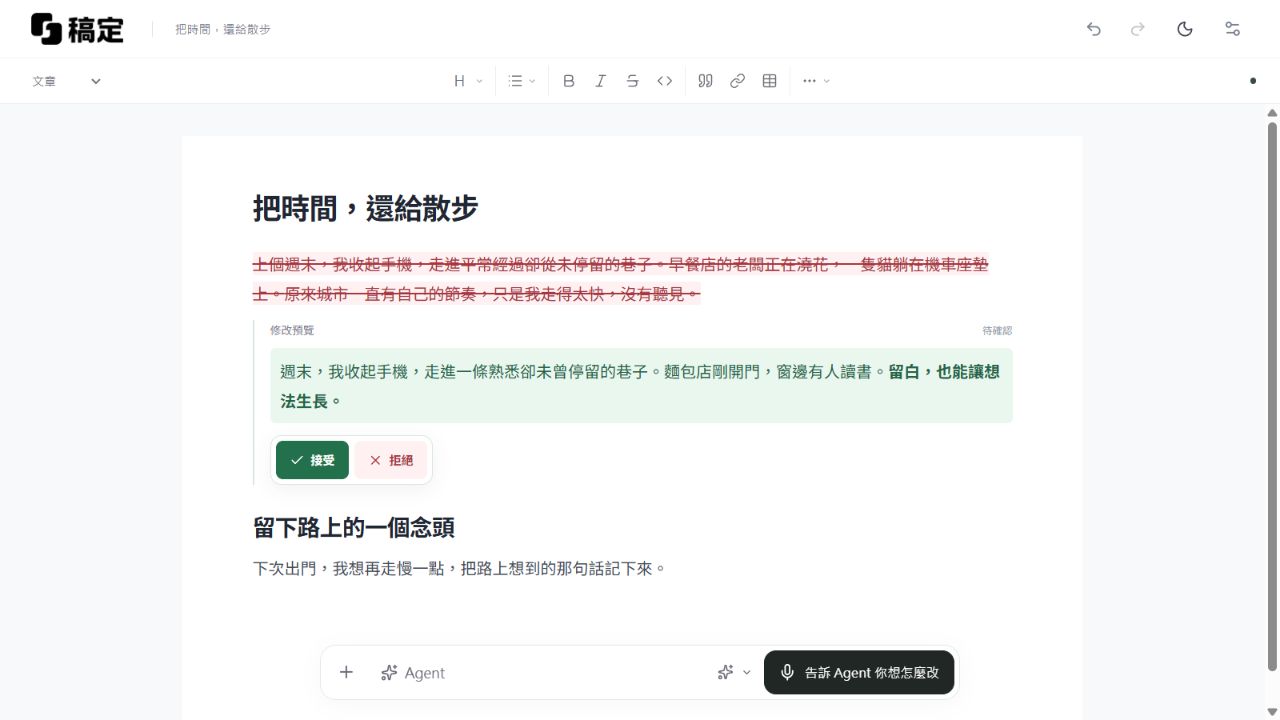
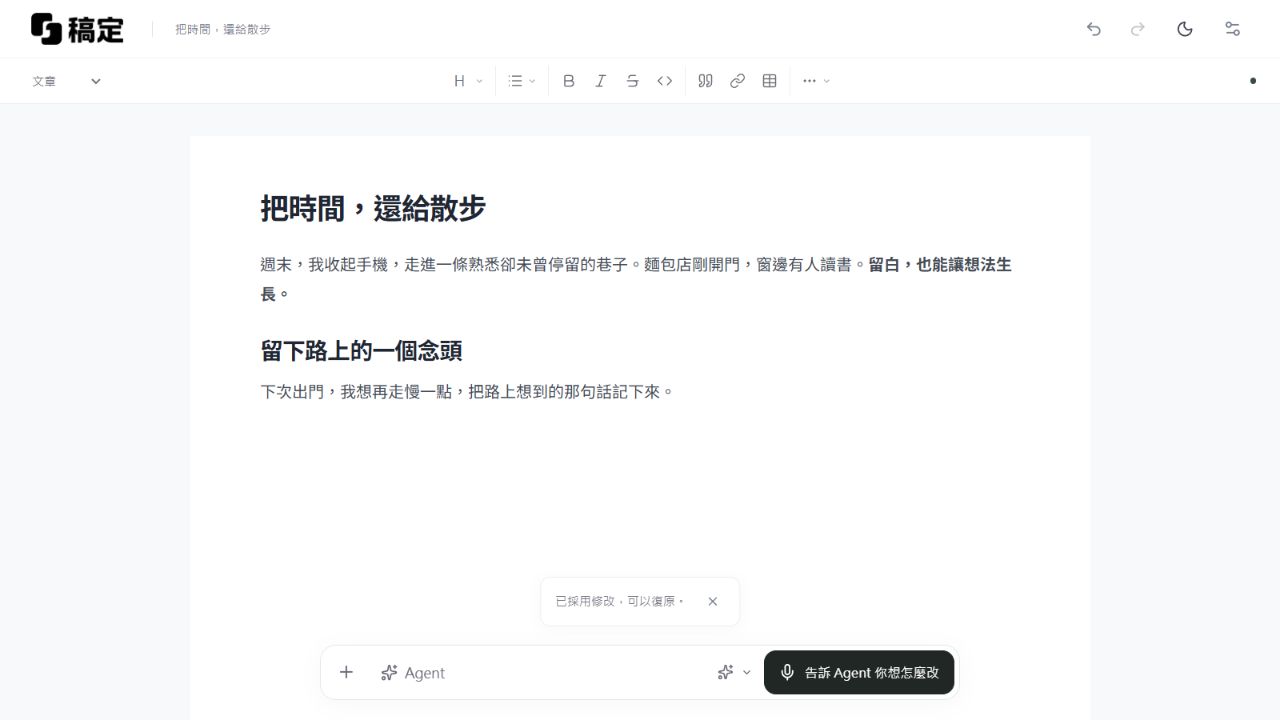
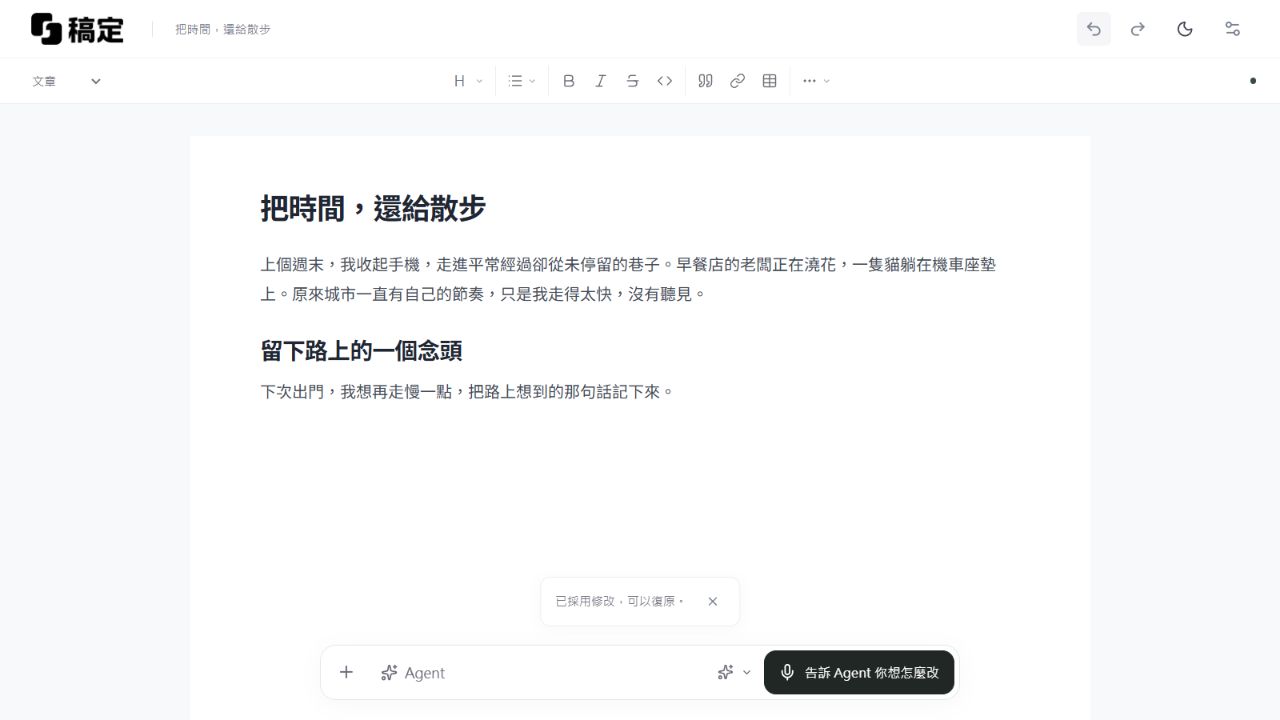
The images show tutorial text only. The second and third images demonstrate accepting and undoing an edit; they don’t mean the suggested text is suitable for publication. Actual revisions will vary depending on the instruction and article.
Replace “polish this” with a specific request
If a sentence is too long, ask it to split the sentence in two. If the same idea is repeated twice, ask it to remove the repetition. You can leave a paragraph that already reads clearly as it is.
Requests like “make it more insightful” or “make it more professional” don’t say what can be changed. If you just want shorter text, say so directly.
Some words may not sound polished, but they’re the words you’d use
For example, “I sat there for ages and only wrote two lines” is clear. There’s no need to replace it with “I encountered an expressive bottleneck during the creative process” just to sound more formal.
You can keep everyday expressions when revising. You may have written “I guess,” “maybe,” or “this time” in your draft for a reason: you’re genuinely not sure yet. Removing those words changes the meaning.
When reviewing the preview, check what it adds
Typos are usually easy to spot; added meaning can slip by when it’s wrapped in a fluent sentence. For example, the original might say only, “Later, I started writing earlier,” while the revision adds, “As a result, I can finish an article every day.” If that last part didn’t happen, remove it.
You can also read the whole passage aloud. If you catch yourself thinking, “I wouldn’t normally say it like that,” stop and revise it yourself. Just because you used AI doesn’t mean you have to keep every word it wrote.
Sometimes, the original is good enough
Sometimes, seeing a new version helps you realize the original was already clear enough. Just don’t use the new version.
Gaoding lists the suggested edits first and only changes the main text after you confirm. You can also undo changes after applying them. Before trying another version, you can name the current one—for example, “Keep the original opening.”
You still decide what your article says and how far it goes. Treat AI-generated sentences as a draft you can edit or delete.
The images use the new editor and a tutorial draft. The text and suggestions are for illustrative purposes and do not represent actual model results. The content was drafted and organized with AI assistance. For information about features and data handling, see FAQs。